Table of Contents
What if you could take the senior engineer on your team, clone their brain, and turn it into a command your AI agent can run anytime?
AI agents are incredibly smart. They can write code, explain concepts, debug issues. But here’s the thing — they’re also incredibly generic. They don’t know your specific coding standards. They don’t know your deployment checklist. They don’t know your project structure.
That’s where AI Agent Skills come in. Based on the Agent Skills Specification, skills let you package instructions, tools, and context into reusable modules that you can invoke anytime.
Now, here’s where it gets interesting. Different agents use different conventions for where they look for skills. OpenAI Codex uses .agents/skills/. Claude Code uses .claude/skills/. GitHub Copilot uses .github/skills/. And OpenCode uses .opencode/skills/.
By the end of this guide, you’ll understand what skills actually are under the hood, you’ll know the directory conventions, and you’ll have built a working Weekly Standup Generator that analyzes your git commits and generates a formatted standup update automatically.
What is a Skill?
Even the most capable AI agent has a gap: it doesn’t automatically know your team’s specific conventions, workflows, and preferences. Every time you need it to follow your coding standards or run your deployment process, you have to repeat the same instructions. Skills solve this by letting you package and reuse these instructions so the agent gets the right context automatically.
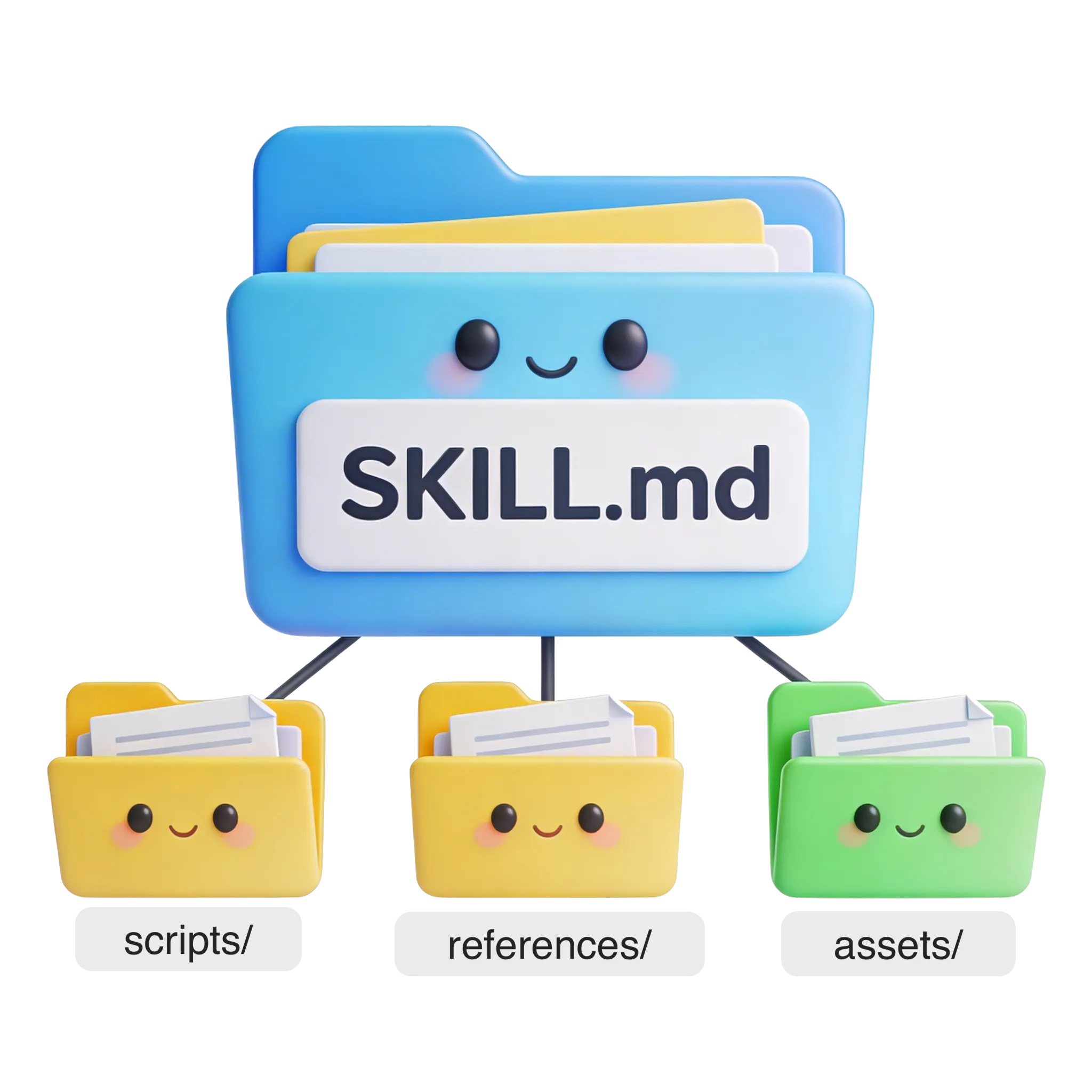
A skill is simply a directory that contains a logic file called SKILL.md and supporting context like scripts, references, and assets.
The Agent Skills Specification defines a universal format that multiple AI agents support. When you invoke a skill, the contents of SKILL.md and any referenced files get injected into the Agent’s context window. It’s like giving the AI a cheat sheet for a specific task.
Now, there’s a critical distinction here that trips up a lot of people. And I want to make this crystal clear because there’s a common myth floating around.
Skills do not “install” software. Let me say that again — skills do not install software.
Here’s what’s actually happening. Your AI agent already has system tools. It can run bash commands, read files, search through code. A Skill simply orchestrates these existing tools. The allowed-tools list in the YAML frontmatter isn’t about installing new capabilities — it’s a permission gate. It tells the agent, “Hey, when you’re running this skill, only use these specific tools. Don’t go reading files that aren’t relevant to the task.”
Think of it like a bouncer at a club. The skill doesn’t create new tools — it just restricts which ones the agent can use while performing that specific task.
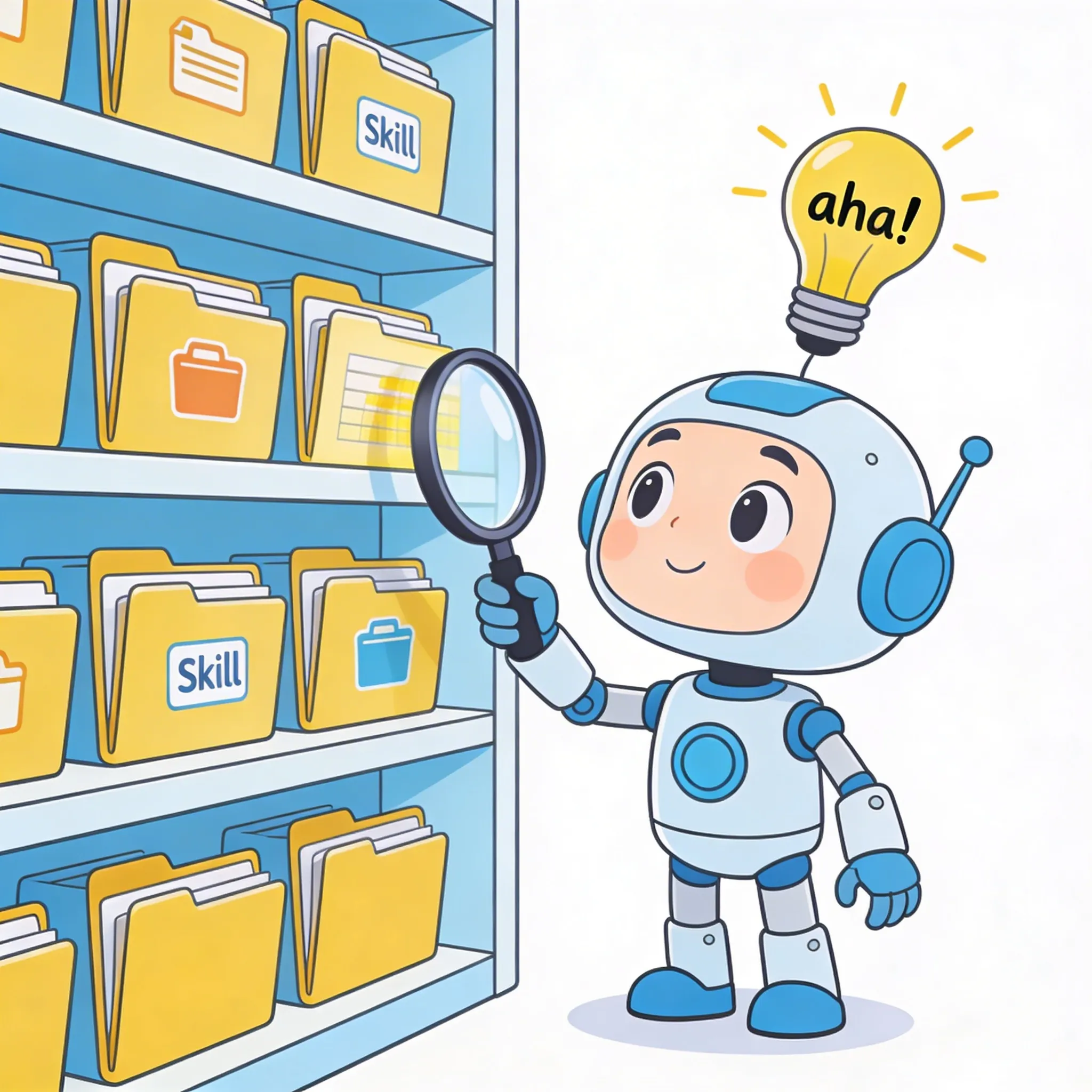
The architecture is elegant. You place your skill folders in the agent’s designated directory — that’s the auto-discovery part. And then when you invoke the skill, the contents get injected into the context. It’s that simple.
So now that we understand what a skill is, let’s build one.
Live Coding Demo - The Setup
We’re going to build a skill for OpenAI Codex that analyzes git commits and generates a formatted standup update.
First, let’s create the directory structure. For OpenAI Codex, we use .agents/skills/. For this skill, we’ll call it “weekly-standup” and create subdirectories for scripts and references.
mkdir -p .agents/skills/weekly-standup/{scripts,references}
touch .agents/skills/weekly-standup/SKILL.md
So we’ve created:
.agents/skills/weekly-standup/— the main skill folderscripts/— where we’ll put our helper scriptsreferences/— where we’ll put templates and context filesSKILL.md— the main logic file
Now, if you’re using Claude Code, you’d use .claude/skills/weekly-standup/. For GitHub Copilot, it would be .github/skills/weekly-standup/. The structure is the same — only the parent directory changes.
The Fetch Commits Script
Let’s create the script that will fetch our git commits. This script needs to accept time period arguments so we can ask for “this week” or “last week” or any custom range.
#!/bin/bash
# Usage: ./fetch-commits.sh --since="1 week ago" --until="today"
git log --pretty=format:"%h|%s|%b" --no-merges "$@"
Here’s what this script does. It accepts standard git log arguments — things like --since and --until. The --pretty=format flag lets us structure the output in a way that the AI can easily parse. We’re outputting the commit hash, the subject, and the body, separated by pipes.
The --no-merges flag excludes merge commits, which we typically don’t want in a standup because they’re not actual code changes.
The $@ at the end just passes all arguments through to git log, so we can use any valid git date format.
This script is intentionally simple. It outputs structured commit data, and then the AI does the heavy lifting of categorizing and formatting that data.
The SKILL.md Logic
Now we create the main skill logic in SKILL.md. This file has two parts: the YAML frontmatter at the top, and the markdown instructions below.
name: weekly-standup
allowed-tools:
  - bash
  - read
The YAML frontmatter defines the skill name and which tools are allowed. We’re allowing bash so the skill can run our fetch-commits script, and read so it can read any reference files we provide.
Now for the instructions. We want the skill to:
- Execute the fetch-commits script with the requested time period
- Categorize commits into features, bugs, and refactoring
- Format the output as “What I worked on”, “Blockers”, and “Next steps”
When we invoke this skill, the AI reads these instructions, runs the script, analyzes the output, and generates our standup. It’s like having a personal assistant who knows exactly what you need.
The “Aha!” Moment
Now for the fun part. Let’s actually run this and see what we get.
When we invoke the skill with “generate my standup for this week,” the AI:
- Runs the fetch-commits script
- Analyzes the commit messages
- Categorizes them appropriately
- Generates a formatted standup
But we can make this even better. Let’s add a reference file with our team’s specific standup format.
Create a references/standup-template.md with your team’s format. Maybe your team uses a specific structure, or has certain fields that need to be included. You can reference this file in your SKILL.md.
# Weekly Standup - {{developer_name}}

**Date:** {{date}}

## What I worked on

### Features
- [List of feature commits/changes]

### Bug Fixes
- [List of bug fix commits/changes]

### Refactoring
- [List of refactoring commits/changes]

## Blockers
- [Any blockers or impediments]

## Next steps
- [Planned work for next week]
Now update SKILL.md to use the template for consistent formatting. The skill reads the template and applies it to each standup it generates.
The result? Every standup follows the same structure automatically. No more manually formatting. No more forgetting what you worked on. Skills turn repetitive manual work into one-click automation.
This is the power of AI Agent Skills. You’re not just chatting with an AI — you’re creating custom capabilities that understand your specific workflow.
Advanced Features
Let’s make our standup skill even more powerful with some advanced features.
Enhancement 1: Flexible Time Periods
We can update the skill to accept natural language like “this week”, “last week”, or “since Monday”. The script translates these into git log date arguments.
For example, when you say “generate standup since Monday,” the skill translates that to --since="last Monday" and passes it to the script.
Enhancement 2: Adding Context from PRs and Issues
We can reference a references/team-projects.md file that maps commit messages to project names. Now the skill can output more meaningful information like “Worked on Auth Service: Fixed login bug, refactored token handling” instead of just raw commit messages.
Enhancement 3: Smart Blocker Detection
We can search commit messages for patterns like “WIP”, “TODO”, or “BLOCKED” and automatically populate a “Blockers” section. For example, if a commit message says “BLOCKED: OAuth integration (see commit abc123)”, the skill catches that and includes it in the blockers section.
Here’s what our complete skill structure looks like:
This transforms the Agent from a simple chatbot into a Personal Assistant that understands your workflow. That’s the real power of skills.
Best Practices & Pitfalls
Here are some things to keep in mind when building your own skills.
Script Arguments: Design your scripts to accept flexible inputs. Instead of hardcoding dates, accept time periods like “this week” or “last week”. This makes your skill adaptable to different situations.
Tool Availability: Remember — if your skill uses git, Git must be installed on the host machine. The skill doesn’t install it for you. Same with any other command-line tools. The skill orchestrates what’s already there.
Relative Paths: Always refer to your reference files using relative paths like ./references/template.md. This makes your skill portable across different projects.
One Skill, One Job: This is probably the most important one. Don’t try to build a “Do Everything” skill. Make a “Standup Generator” skill and a separate “Code Reviewer” skill. Each skill should have a single, clear purpose. This makes them easier to maintain and more reliable.
Conclusion
Let’s recap what we covered today.
We learned that skills are simply context and instructions packaged together. They’re not installing new software — they’re orchestrating the tools your AI agent already has.
We covered the directory conventions: OpenAI Codex uses .agents/skills/, Claude Code uses .claude/skills/, GitHub Copilot uses .github/skills/.
And we built a working Weekly Standup Generator that analyzes git commits and generates formatted standup updates. We saw how scripts with arguments make skills flexible, and how reference files provide context.
The key takeaway is this: Skills turn repetitive manual work into one-click automation. Instead of scrolling through fifty git commits every Monday morning, you invoke your skill and get a formatted standup in seconds.
Your call to action: Try building your own standup skill today! Start with the fetch-commits script, then customize the template for your team’s format. Link to the Agent Skills Specification in the description below.
If you just want to see the code, you can find it on GitHub.